
Durable local AI workflows
For developers building AI agent workflows, MirrorNeuron helps you run durable local workflows.
$ curl -fsSL https://mirrorneuron.io/install.sh | bash$ mn blueprint run drug_discovery_simulationRun a blueprint, then make it yours.
MirrorNeuron keeps the starting path small: install the runtime, run a durable workflow, and swap in your own agent code when you are ready.
Start with a working durable agent workflow.
Run near your data, tools, models, and compute.
Replace pieces with your own tools and logic.
On-edge AI workflows, without the orchestration project.
MirrorNeuron gives teams a simple runtime for durable agents that should run close to data and tools first, while staying portable enough for cloud when the workload belongs there.
See the detailsWorkloads people understand quickly
Use cases make durable on-edge AI concrete faster than feature lists. Start from a blueprint, prove the workflow shape, then plug in your data, tools, and policy boundaries.
Always-on risk workflows for changing markets
Turn market signals into durable analysis that watches, reacts, and surfaces decisions while conditions change.
Research loops that keep making progress
Coordinate experiments, hypotheses, and simulations that checkpoint progress and recover without losing valuable work.
Background workflows that react, wait, and resume
Run marketing, research, ticket, browser, and tool workflows with checkpoints, retries, and clear recovery points.
Run durable AI workflows where private data already lives.
Some workflows belong beside the data: lab systems, market feeds, private files, device telemetry, customer records, or internal tools. MirrorNeuron gives those workflows a durable runtime without making cloud orchestration the starting point.
Deployment targets, not hardware SKUs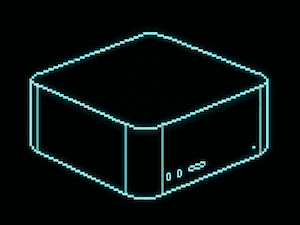
DESKTOP AI PROTOTYPE
Prototype a durable workflow on a developer machine before cluster setup becomes part of the conversation.
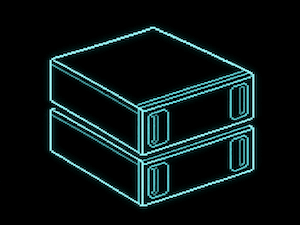
PERSONAL AI CLUSTER
Move the same normal-code workflow to shared infrastructure when throughput or uptime needs grow.
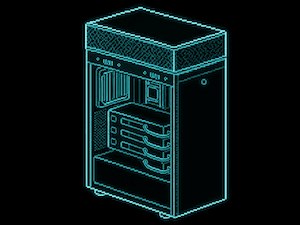
AI WORKSTATION
Run near GPUs, lab systems, internal tools, or sensitive project folders without changing the workflow shape.
Data stays close
Run beside files, feeds, tools, and systems you already control.
Same workflow shape
Start local, then move to edge, cluster, or cloud when useful.
Runtime, not machines
MirrorNeuron is the durable execution layer, not a hardware catalog.
MirrorNeuron is the workflow runtime. The images show common places your workflows can run.
Get started with MirrorNeuron
Install the CLI, run a blueprint, and keep the path from first run to real workflow straightforward.
$ curl -fsSL https://mirrorneuron.io/install.sh | bash$ mn blueprint run drug_discovery_simulationInstall the CLI in your own environment.
Run a blueprint with mock inputs to see the workflow shape.
Replace the mock inputs or adapters with your code, data, or tools.
import json from mn_sdk import RetryPolicy, RunnerConfig, agent, workflow RETRY = RetryPolicy(max_attempts=2, backoff_ms=250)RUNNER = RunnerConfig.host_local() class HelloAgents: @agent.defn(name="hello", type="map", runner=RUNNER, retries=RETRY, timeout_seconds=10) def hello(self, name: str): return {"message_type": "hello_result", "text": f"Hello, {name}!"} @workflow.defn(name="hello_world_v1", recovery_mode="cluster_recover")class HelloWorldFlow: def __init__(self): self.agents = HelloAgents() @workflow.run def run(self): name = workflow.input("name", default="world") return self.agents.hello(name) def run_local(name: str = "world") -> dict: agents = HelloAgents() return agents.hello(name) if __name__ == "__main__": print(json.dumps(run_local(), indent=2, sort_keys=True))